Hire your next crew member from the same place you book work.
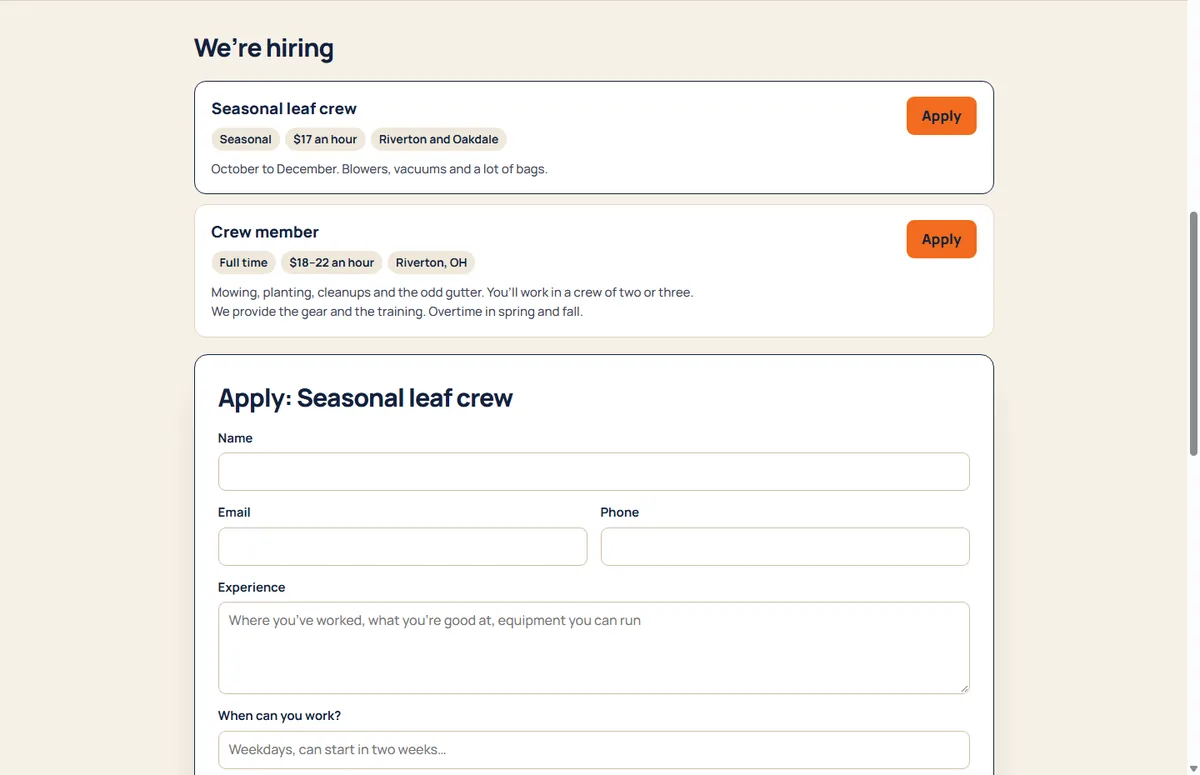
Post an opening and it shows on your booking page under “We’re hiring”, ready for Google’s job search. People apply from their phone, and you sort them from New to Hired.
What it does
Posts that look like your business
Title, hours, pay, where and what the work is.
Ready for job search
Each open post carries the details Google reads for job listings.
Applying takes a minute
Contact, experience, when they can work and whether they drive. On any phone.
An inbox to sort them
New, Interviewing, Hired or Not a fit. You’re emailed when someone applies.
How it goes
- Write a post and leave it open.
- Share your booking page, or let people find it.
- Call or email from the applicant’s card, and move them along.
Questions
Can I delete an application?
Yes, for good, if someone asks to be forgotten or it’s spam.
Does applying give them access?
No. Applying never creates an account. Invite people you hire from Team.