Quotes & invoices
Quote it, do it, get paid. In that order, without retyping.
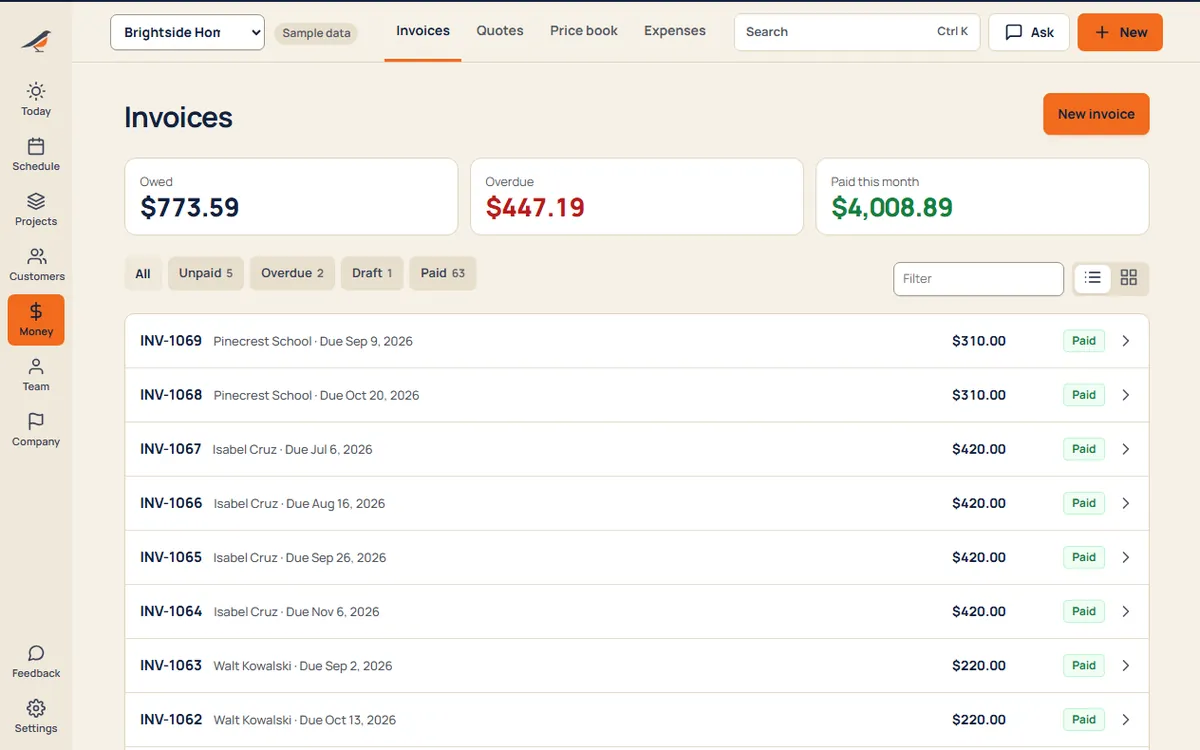
Build quotes from your price book, turn an accepted quote into a job, and the finished job into an invoice. Customers pay by card from a link, and you see who still owes what.
What’s inside
Price
- Price bookYour services and products with prices, ready to drop into any quote.
- Sales tax your wayYou decide what’s taxed per item, so labor can stay tax-free where it should.
- Editable draftsChange lines, customer and job until you send it.
Sell
- Quotes customers accept onlineA link they open on their phone, with your logo on it.
- Quote → job → invoiceAn accepted quote becomes the job; the finished job becomes the invoice.
- Your brand on every pageLogo and color on quotes, invoices and receipts.
Get paid
- Card paymentsThrough your own Stripe account. Crewbird takes nothing on top.
- RemindersSee what’s late and nudge the customer from the same screen.
- ExpensesLog what jobs cost so you know what you kept.
A day with it
- Pick items from your price book to build the quote.
- Send the link by text or email. The customer accepts on their phone.
- The accepted quote becomes a job, ready to schedule.
- When it’s done, invoice in one step. They pay by card from the link.
What it replaces
- Spreadsheet quotes
- A separate invoicing app
- Chasing checks
Try quotes & invoices with sample work in it.
Questions
What does card processing cost?
Stripe’s own rate, paid by your business to Stripe. Crewbird adds nothing.
Do you handle sales tax for me?
You choose which items are taxed and the rate. Crewbird does the math; it doesn’t give tax advice. See the Terms.
Can I send by text?
Yes. Every quote and invoice has a link you can text, email or share any way you like.
Every suite. One price.
14 days free. No contract. Your crew is set up in an afternoon.