Time clock
Hours you can pay from, without chasing anyone.
The crew clocks in from their phone. Geofencing checks they’re at the job when they do. Breaks, fixes and approvals happen in the app, and payroll gets a timesheet that adds up.
What’s inside
Clock
- One big buttonClock in, start a break, clock out. Works on any phone.
- GeofencingSet a fence around a job site or your yard. Clocking in from outside is flagged, or refused if you choose.
- Location only at the clockChecked when someone clocks in or out, never tracked through the day.
Fix
- Corrections with a reasonForgot to clock out? The crew asks for a fix; you approve it.
- A full historyEvery change keeps who made it, when and why.
- Unpaid breaks done rightBreaks come off the hours automatically.
Pay
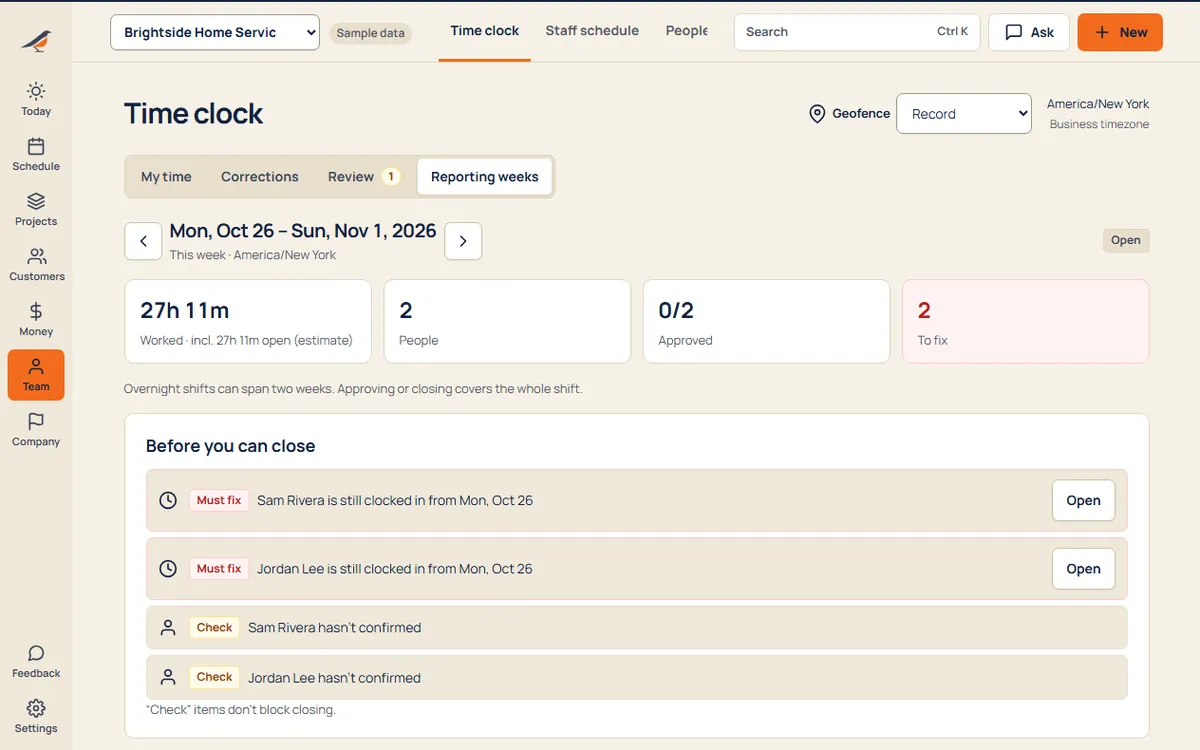
- Weekly timesheetsEach person’s week, ready to approve and close.
- Export for payrollA clean file for your payroll service or accountant.
- Staff scheduleShifts published to the crew, separate from customer visits.
A day with it
- The crew arrives and taps Clock in. Crewbird checks they’re inside the fence.
- Breaks start and stop from the same screen.
- At the end of the week you review, fix and approve.
- Close the week and export it for payroll.
What it replaces
- Paper time cards
- Texts saying “got here at 7”
- A separate GPS time app
Try time clock with sample work in it.
Questions
Do you track my crew all day?
No. The phone’s location is read only at the moment someone clocks in or out, and only when you’ve turned geofencing on.
What if the phone can’t find its location?
If the phone can’t read its location, the entry is marked so you can check it.
Can I export to payroll?
Yes. Closed weeks export as a spreadsheet your payroll service can read.
Every suite. One price.
14 days free. No contract. Your crew is set up in an afternoon.