Projects
Big jobs, kept on budget and in writing.
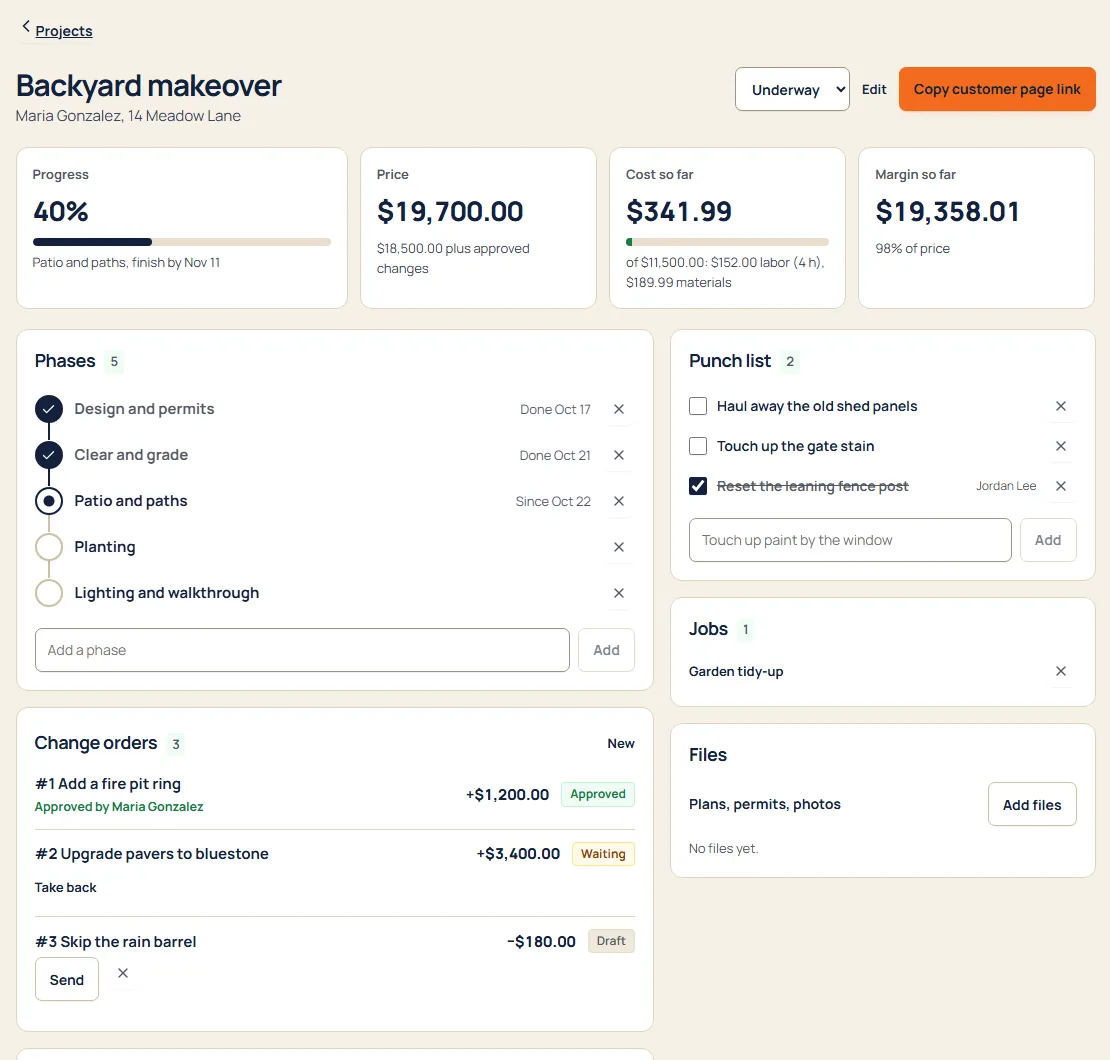
Break a project into phases, watch the budget against what’s been spent, get change orders signed, and finish with a punch list. The customer follows along on their own page.
What’s inside
Plan
- PhasesDemo, rough-in, finish: each with dates and its own jobs and visits.
- Budget vs actualCosts, hours and billed amounts against the budget, as you go.
- Jobs from the projectMake jobs, visits and tasks right from the project page.
Change
- Signed change ordersThe customer signs on their phone before the extra work starts.
- Daily logNotes and photos from each day, kept with the project.
- Progress invoicesBill by phase or percentage as work gets done.
Finish
- Punch listThe last items, checked off one by one.
- Customer pageProgress, photos and changes in one link for the customer.
- Final numbersWhat you quoted, what changed, what it cost and what you kept.
A day with it
- Turn an accepted quote into a project and set its phases.
- Schedule jobs and visits for each phase.
- Changes get signed before work starts; costs and hours count against budget.
- Bill as you go and close out with the punch list.
What it replaces
- Project spreadsheets
- Change orders on paper
- Separate project software
Try projects with sample work in it.
Questions
Is Projects an add-on?
No. It’s on every plan, like every other part. See pricing.
Can crew see project budgets?
No. Crew see their visits and tasks; money stays with owners and office.
Every suite. One price.
14 days free. No contract. Your crew is set up in an afternoon.