Team & tasks
Everyone knows their part, without a meeting.
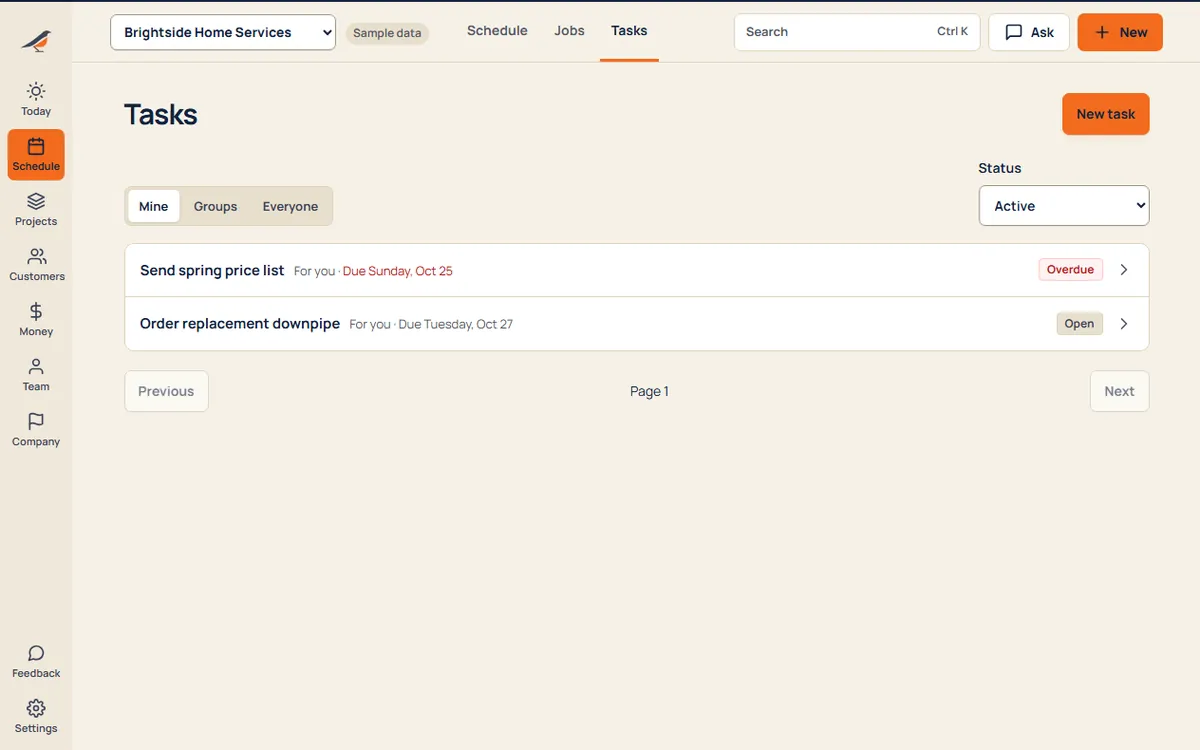
Invite your crew with a link, give each person the right access, and hand out tasks to people, teams or a quick group with its own chat.
What’s inside
People
- Invite by linkSend a link by text; they join in a minute.
- Roles that fitOwner, office and crew, each seeing what they need and no more.
- CertificationsTrack who’s certified for what, and when it runs out.
Tasks
- For a person or a teamAssign to one person, a standing team or a quick group.
- Chat on the taskQuestions and answers stay with the work, not in a group chat.
- Due dates that showWhat’s due shows up on Today for the person doing it.
A day with it
- Invite the crew by link and pick their role.
- Hand out tasks and talk about them right there.
- Everyone sees their own list on Today.
What it replaces
- Group chats
- To-do apps
- A notebook in the truck
Try team & tasks with sample work in it.
Questions
Does every person cost extra?
Each plan includes a set number of people, with a lower price per extra person on bigger plans. See pricing.
Do customers count as people?
No. Customers are free, and so is their Crewbird Pass.
Every suite. One price.
14 days free. No contract. Your crew is set up in an afternoon.