Crewbird Pro for restoration
Run each job as a project: phases, photos, change orders your customer approves, and costs against budget.
A day with Crewbird Pro
- RequestA call or a booking-page request becomes a customer, a site and a job.
- ProjectStart a project with a price, a cost budget and phases you name, like Assess, Dry, Rebuild and Final walk.
- VisitBook crew visits on the job. Photo steps on the checklist ask the crew for photos, and finished visits count as labor.
- UpdateShare daily-log entries with their photos. The customer sees them on a private project page, with no account.
- ChangeScope grows? Send a change order. The customer approves by typing their name, and the price updates.
- BillBill part of the price or the rest, and watch cost and margin so far. Customers pay by card from the invoice link.
In the app
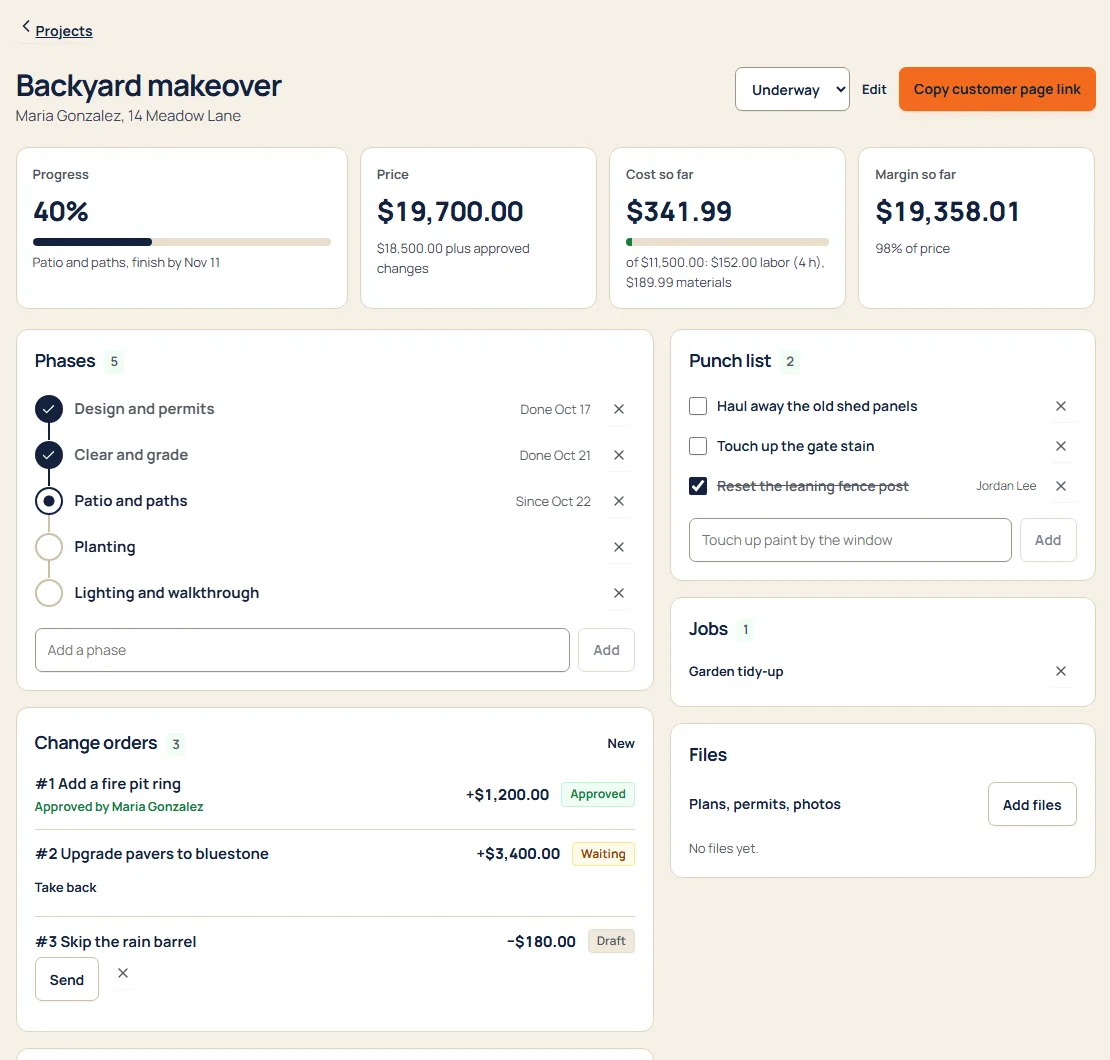
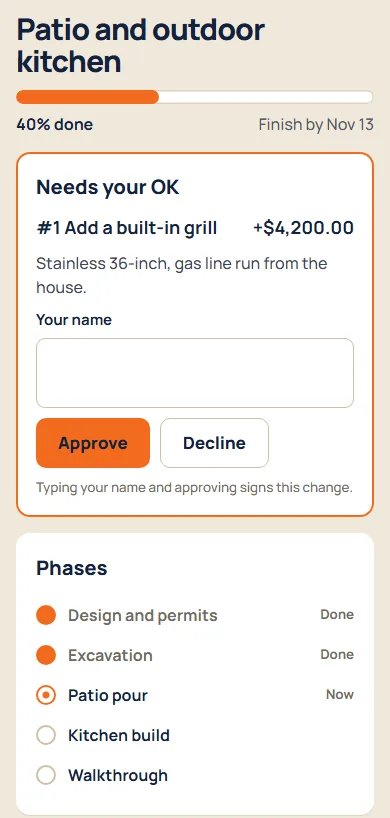
Sample business and sample customers.
Pricing
- Starter$592 people, then $15 each
- Crew$995 people, then $12 each
- Company$17912 people, then $9 each
Per month. Every suite on every plan. See pricing
Questions
Can my customer see the photos?
The ones you share. Mark a daily-log entry as shared and it shows on the customer’s private project page with its photos. Checklist photos stay with your business.
How does a change order work?
Send it from the project. The customer opens their link, types their name and approves or declines. You see who signed and when, and the project’s price updates.
Can I see what a job is costing me?
Yes. A project shows cost so far and margin so far: labor from finished visits at the rate you set for the project, plus the materials, equipment and subcontractor costs you record. Crew never see costs or rates.
Does it work with insurance or estimating software?
No. Crewbird Pro doesn’t connect to insurance-claim or estimating software. You set the project’s price in Crewbird.
Can I keep licenses and certificates?
Yes. Keep licenses, insurance and certificates with the paper attached, and hear 30 days out, 7 days out and on the day they expire. Owners and office only.