Crewbird Pro for electrical work
Send an estimate with options, schedule the crew, keep before and after photos, and invoice the labor and materials.
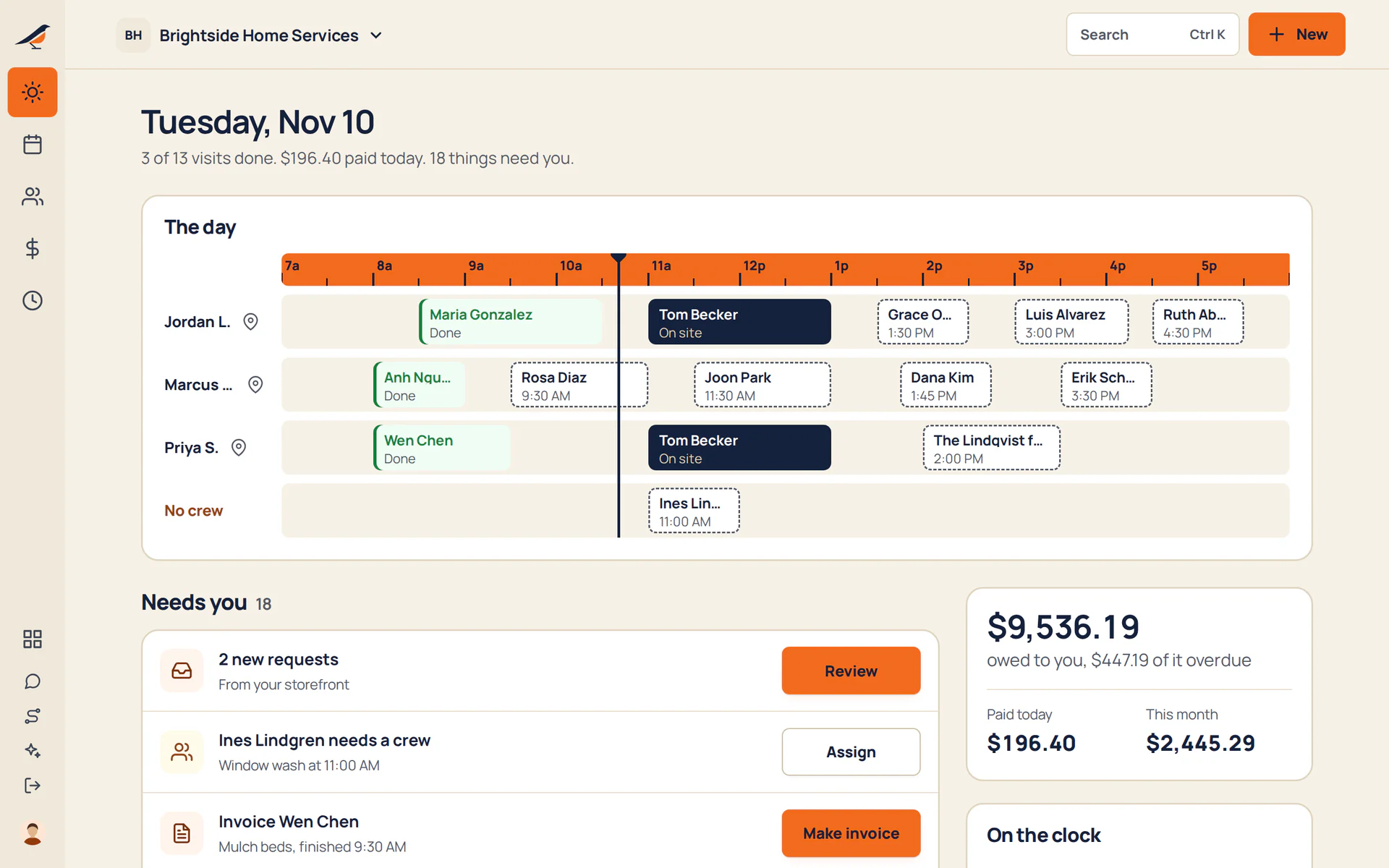
A day with Crewbird Pro
- RequestA call or a booking-page request becomes a customer, a site and a job.
- EstimateBuild it from your price book: a service call, labor by the hour, an outlet install. Offer a basic and a fuller option on one estimate.
- ScheduleBook the visit and put a person on it. Crewbird refuses a time when that person is already booked.
- VisitThe crew taps On my way, ticks the checklist and adds the before and after photos, like the panel and the finished work.
- InvoiceMake the invoice from the job. The accepted estimate’s lines come across; add labor and materials.
- PaidThe customer pays by card from the link. Crewbird takes no cut.
In the app
Sample business and sample customers.
Your price book
- Service callper each
- Laborper hour
- Outlet installper each
Starter items for Electrical. Edit them or add your own.
Pricing
- Starter$592 people, then $15 each
- Crew$995 people, then $12 each
- Company$17912 people, then $9 each
Per month. Every suite on every plan. See pricing
Questions
Can I price a service call and an outlet install?
Yes. Add a service call as a fee item, Labor as an hourly item and an install as a service in your price book, then set the quantity on the estimate: four outlets is a quantity of 4. The prices are yours.
Do I get before and after photos?
Yes. Add a photo step to the visit’s checklist and the crew takes the photos on site, even without signal. Photos stay with your business; customers don’t see them.
Can I keep my license and insurance?
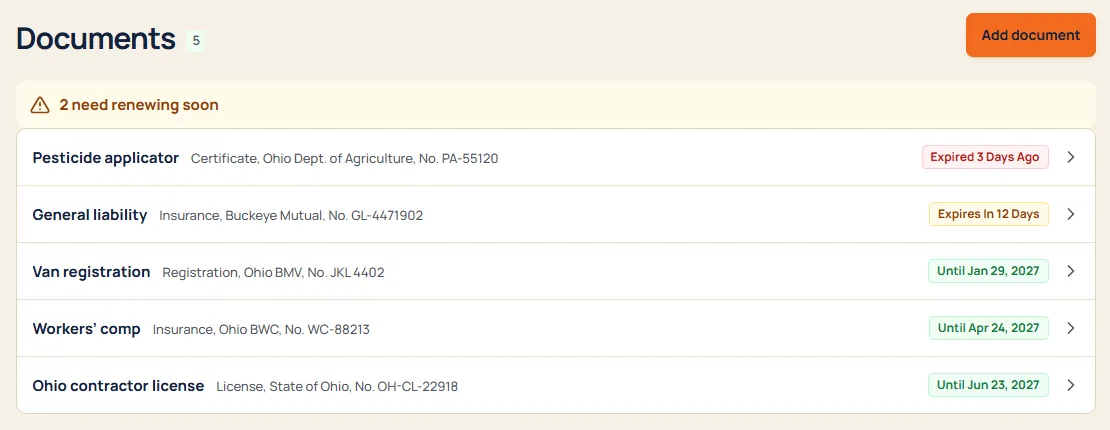
Yes. Keep licenses, insurance, certificates and permits with the paper attached, and hear 30 days out, 7 days out and on the day they expire. Owners and office only.
Does it track permits and inspections on a job?
No. A job has no permit or inspection step. Your own permit paperwork can sit in Licenses and insurance with an expiry date.