Crewbird Pro for roofing
Offer shingle options on one estimate, run each roof as a project, get change orders approved, and bill in stages.
A day with Crewbird Pro
- RequestA call or a booking-page request becomes a customer, a site and a job.
- EstimateBuild it from your price book: an inspection, shingles by the square, repair labor by the hour. Offer three shingle options on one estimate.
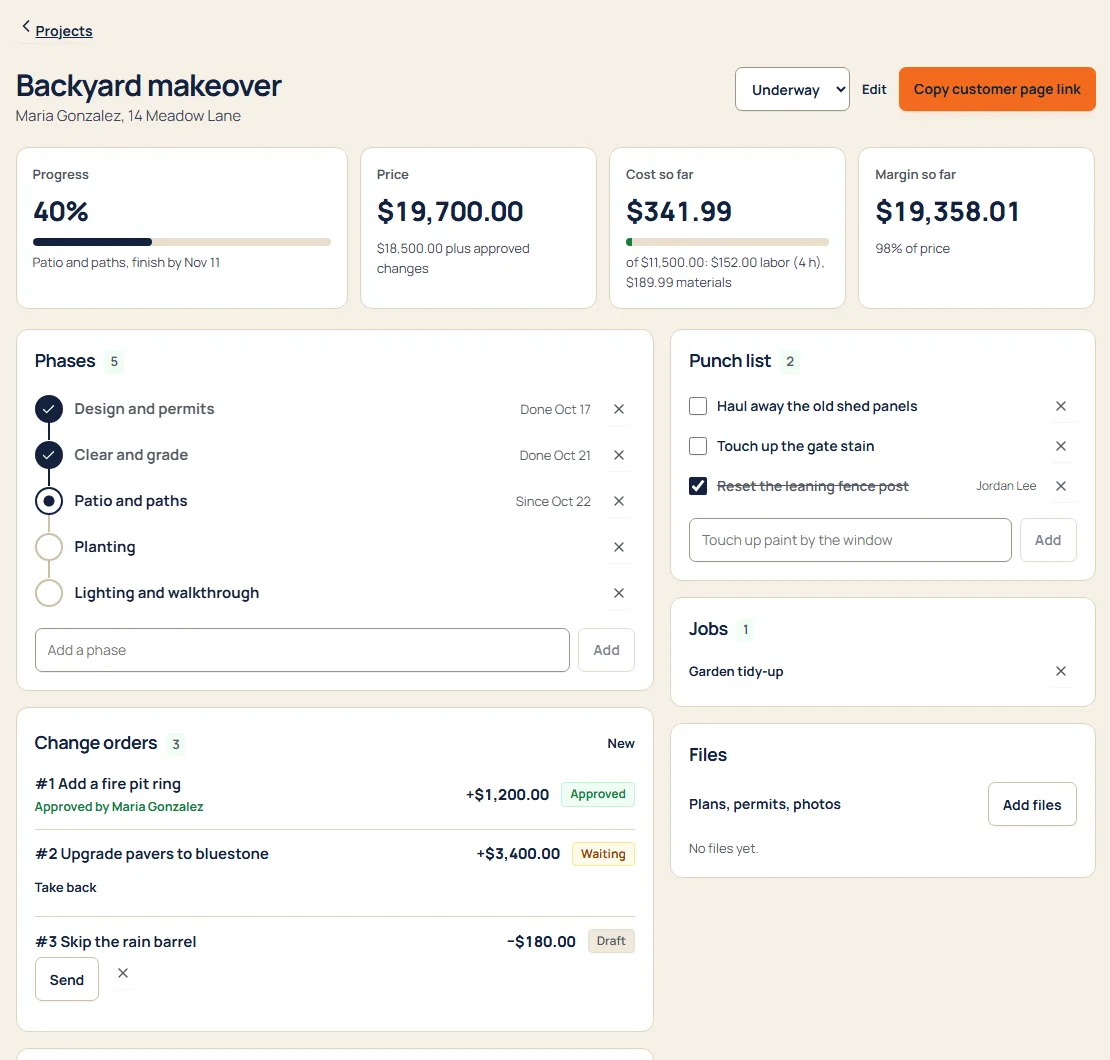
- ProjectStart a project with a price, a cost budget and phases you name, like Tear-off, Dry-in, Shingle and Clean-up.
- VisitBook the crew’s visits on the job. Photo steps on the checklist ask for photos, and finished visits count as labor.
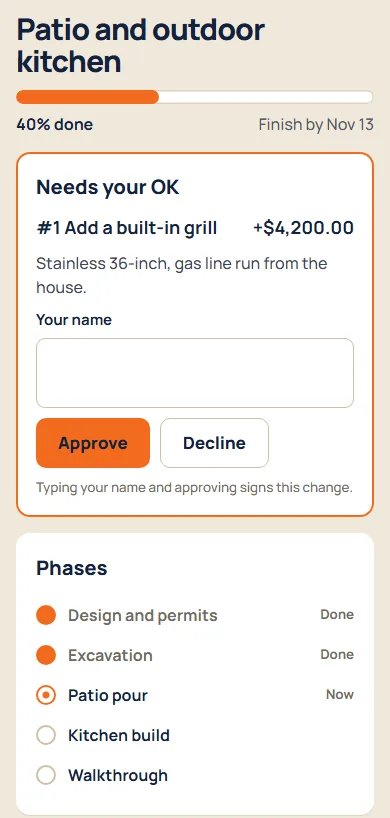
- ChangeRotted decking under the shingles? Send a change order. The customer approves by typing their name, and the price updates.
- BillBill a deposit, a phase or the rest as invoices from the project. Customers pay by card from the link.
In the app
Sample business and sample customers.
Your price book
- Roof inspectionper each
- Repair laborper hour
- Shinglesper square
Starter items for Roofing. Edit them or add your own.
Pricing
- Starter$592 people, then $15 each
- Crew$995 people, then $12 each
- Company$17912 people, then $9 each
Per month. Every suite on every plan. See pricing
Questions
Can I bill a deposit and the rest?
Yes. On a project, Bill makes a draft invoice for 10, 25 or 50 percent of the price, an amount you type, or what’s left. Send it from Money. Crewbird doesn’t take a deposit when a customer accepts; the invoice is how you ask.
How does a change order work?
Send it from the project. The customer opens their link, types their name and approves or declines. You see who signed and when, and the project’s price updates.
Can I see what a roof is costing me?
Yes. A project shows cost so far and margin so far: labor from finished visits at the rate you set for the project, plus the materials, equipment and subcontractor costs you record. Crew never see costs or rates.
Can my customer see the photos?
The ones you share. Mark a daily-log entry as shared and it shows on the customer’s private project page with its photos. Checklist photos stay with your business.
Does it measure roofs or connect to insurance software?
No. Crewbird Pro doesn’t measure roofs and doesn’t connect to insurance-claim or measurement software. You set quantities, like squares, and prices in Crewbird.